
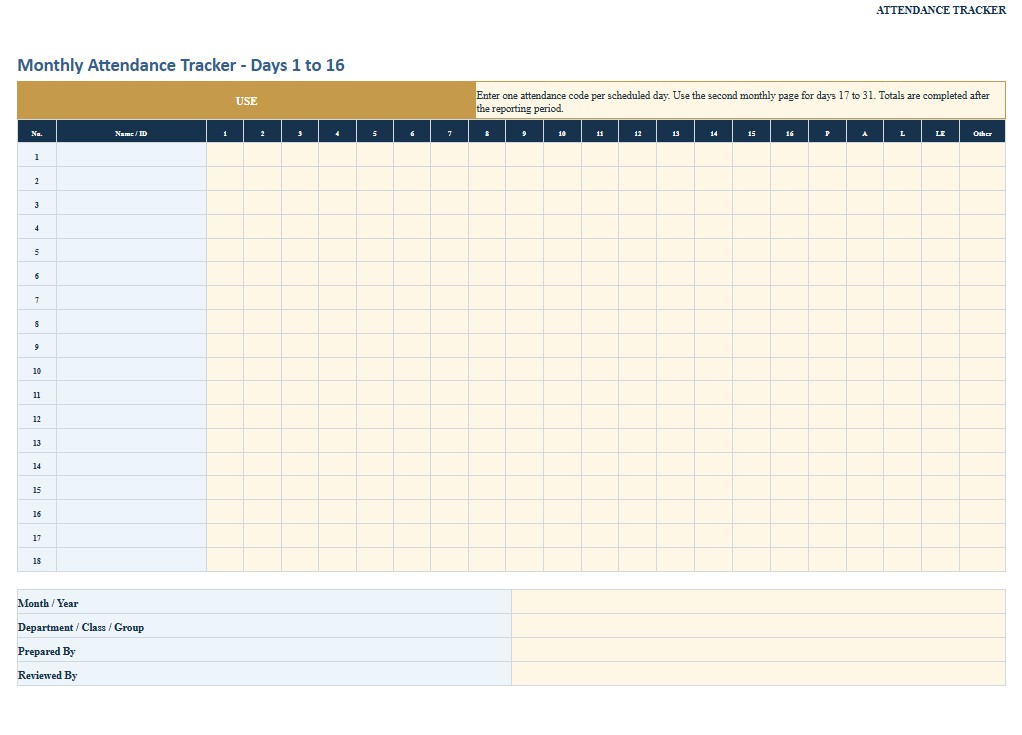
An attendance tracker is a practical record used to monitor whether employees, students, trainees, volunteers, members, or other participants are present, absent, late, excused, on approved leave, or otherwise unavailable on specific dates. Businesses commonly use attendance records for workforce administration and scheduling, while schools, training programs, nonprofit organizations, and event organizers may use similar trackers to document participation and identify attendance patterns. A well-designed tracker can include names, identification numbers, scheduled dates, attendance codes, arrival and departure times, reasons for absence, approvals, notes, and monthly or annual totals. This page provides downloadable Word, PDF, and Excel versions of an attendance tracker, together with practical guidance for completing the document, choosing appropriate attendance categories, maintaining accurate records, protecting personal information, and coordinating the tracker with payroll, leave, HR, school, or organizational procedures when applicable.
Download the Attendance Tracker Word Template
The Word format is useful when you want to edit the attendance tracker freely before printing or sharing it. You can change attendance categories, add company or organization information, modify columns, insert instructions, create additional pages, or adapt the template to a particular workplace, classroom, training program, club, or event.

Download the Attendance Tracker PDF Template
The PDF format is useful when you need a consistent fixed-layout attendance sheet for printing, manual completion, distribution, archiving, or sharing. It is particularly convenient when several supervisors, instructors, or coordinators need to use the same standardized attendance format.
Download the Attendance Tracker Excel Template
The Excel format is especially useful for attendance records because it can accommodate repeatable daily rows, monthly calendars, attendance codes, arrival and departure times, absence totals, lateness counts, percentages, employee or participant lists, and other calculations that would be cumbersome to maintain manually.
How to Complete and Use This Document
Start by identifying what the attendance tracker is intended to measure. An employee attendance record may need different fields from a classroom attendance sheet, training register, volunteer log, or event attendance list. Enter the organization, department, class, program, location, reporting period, and name of the person responsible for maintaining the record. When tracking individuals over time, use a consistent name or internal identification number so records are not accidentally assigned to the wrong person.
Choose Clear Attendance Categories
Define the attendance codes before the tracker is placed into use. Common categories may include Present, Absent, Excused Absence, Late, Left Early, Vacation, Sick Leave, Approved Leave, Remote Work, or Not Scheduled. The categories should match the policies and procedures of the organization using the document.
A simple attendance tracker should not automatically treat every absence or late arrival as an attendance violation. In an employment setting, an absence may be protected or otherwise handled differently under company policy or applicable federal, state, or local law. For example, qualifying leave, disability-related accommodations, workers’ compensation matters, military leave, jury service, paid sick leave, and other protected circumstances can require separate treatment. Attendance decisions should therefore be reviewed by the appropriate HR or management personnel rather than determined solely from a spreadsheet code.
Record Dates and Attendance Accurately
Enter attendance information as close to the event as practical. For a daily employee tracker, record the scheduled workday and the appropriate status. If the document is also intended to capture arrival and departure times, include separate fields for scheduled start, actual arrival, scheduled end, and actual departure. Distinguish between attendance tracking and timekeeping. Under the federal Fair Labor Standards Act, covered employers must maintain accurate records of hours worked for covered nonexempt employees. An attendance sheet showing only Present or Absent generally does not provide enough information to serve as a complete wage-and-hour record.
When a fixed work schedule is used, employers may maintain the normal schedule and document exceptions, but actual hours must be recorded when an employee works longer or shorter than the scheduled period. Employers should make sure attendance records, timecards, payroll records, schedules, and leave records do not contradict each other.
Document Absences Without Recording Unnecessary Medical Details
An attendance tracker normally needs the attendance status, not a detailed medical history. If a worker is absent for an approved medical or family leave reason, the tracker can use an appropriate leave code and refer authorized HR personnel to the separate leave file. Medical certifications and certain other medical information associated with protected leave or disability accommodations should be handled confidentially and separately from routine personnel records when required.
Employers should also review attendance policies carefully before counting disability-related leave or modified schedules as attendance violations. Depending on the circumstances, a reasonable accommodation under the Americans with Disabilities Act may involve leave, adjusted arrival or departure times, or another modification to an attendance policy.
Review Totals and Investigate Inconsistencies
At the end of each week, month, semester, or other reporting period, review totals for absences, late arrivals, early departures, and attendance percentages. Automated totals are useful for identifying patterns, but they should be checked against supporting records before disciplinary, payroll, academic, eligibility, or administrative decisions are made.
If an entry is corrected, preserve enough information to understand what changed, why it changed, who authorized the correction, and when the change was made. This provides better internal traceability and helps prevent disputes.
Customize the Tracker for the Organization
Businesses may add department, supervisor, employee ID, shift, scheduled hours, leave code, approval, and payroll-review fields. Schools may add student ID, class period, teacher, excused or unexcused status, and attendance percentage. Training providers may need session names, required hours, instructor verification, or completion thresholds.
For schools and educational institutions, attendance information that is maintained as part of a student’s education records may be subject to student privacy requirements, including FERPA where applicable. State and local school attendance requirements also vary considerably.
Before using the tracker for payroll, discipline, protected leave, benefits eligibility, school compliance, or another regulated purpose, verify the current federal, state, county, city, school district, industry, and organizational requirements that apply. An HR professional, payroll specialist, school administrator, employment attorney, or other qualified professional may be appropriate when attendance records affect legal rights, compensation, accommodations, protected leave, or formal disciplinary action.