
A Trucking Load Information Tracker is an operational record used to organize the essential details of freight movements from booking through delivery and payment. Dispatchers, owner-operators, fleet managers, freight coordinators, brokers, and accounting teams can use the template to track load numbers, customers, pickup and delivery appointments, cargo details, assigned drivers, tractors, trailers, rates, mileage, accessorial charges, documents, and payment status. Keeping this information in one place can improve dispatch visibility, reduce missed appointments, support invoicing, and make it easier to locate bills of lading, proof of delivery, receipts, and rate confirmations. The tracker does not replace legally required shipping papers, driver records, permits, contracts, or safety documentation. This page provides downloadable Word, PDF, and Excel versions of a Trucking Load Information Tracker, together with practical guidance for completing, customizing, reviewing, and maintaining the document for U.S. trucking operations.
Download the Trucking Load Information Tracker Word Template
The Word format is useful when a carrier, dispatcher, or owner-operator wants to edit the fields freely, add company branding, create a load-specific worksheet, or adapt the document before printing, sharing, signing, or including it in a trip packet.

Download the Trucking Load Information Tracker PDF Template
The PDF format is useful for printing, archiving completed load records, sharing a fixed-layout dispatch sheet, or maintaining a consistent document that can be stored with the bill of lading, proof of delivery, receipts, and other trip records.
Download the Trucking Load Information Tracker Excel Template
The Excel format is useful for repeatable load rows, dates, appointment times, mileage, weights, rates, fuel expenses, accessorial charges, invoice totals, payment tracking, document status, and calculations such as revenue per loaded mile or estimated load profit.
How to Complete and Use This Document
Begin by assigning a unique internal load number. Record the booking date, dispatcher, customer, shipper, consignee, broker when applicable, and the customer or broker reference number. The identifiers should match the rate confirmation, bill of lading, transportation management system, invoice, and supporting documents so that the load can be traced without relying only on a destination or customer name.
Record Pickup and Delivery Information
Enter the complete pickup and delivery addresses, facility names, contact details, appointment dates, appointment windows, confirmation numbers, and special instructions. Distinguish a firm appointment from a first-come, first-served facility. Record the applicable time zone when a trip crosses time zones or when appointment times could otherwise be misunderstood.
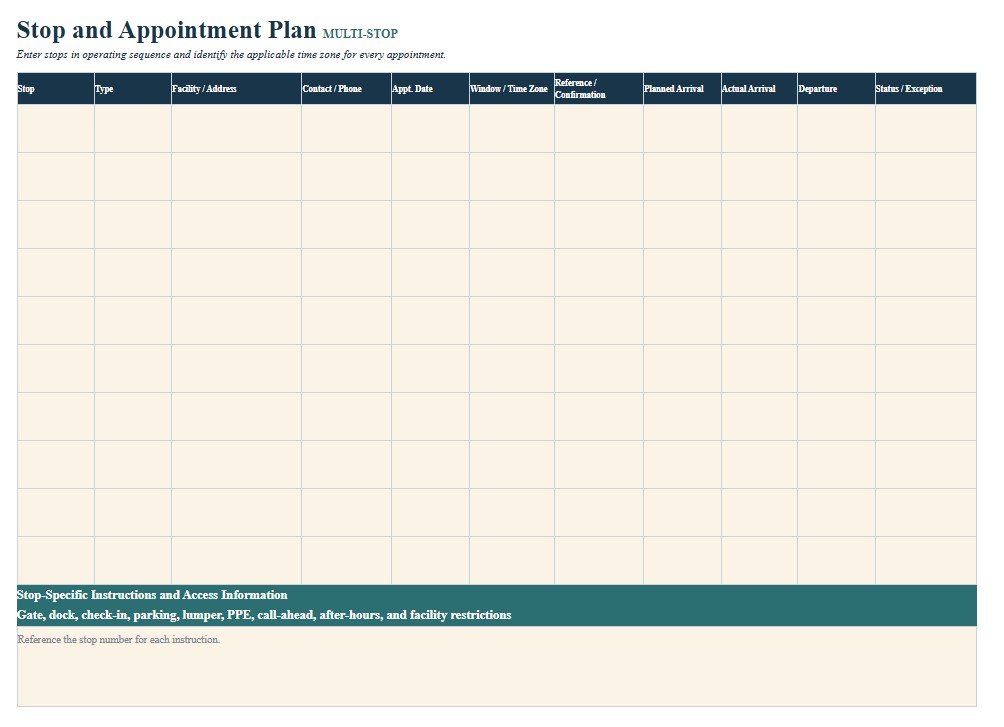
Include additional stops in the order they will occur. For each stop, provide a stop number, type of activity, planned arrival, actual arrival, departure time, reference number, and notes about loading, unloading, detention, shortages, damage, rejected freight, or rescheduling. Actual times are particularly useful when requesting detention or explaining service exceptions.
Describe the Freight and Required Equipment
Record the commodity, packaging type, piece or pallet count, stated weight, dimensions when relevant, and required equipment. Equipment fields may identify a dry van, refrigerated trailer, flatbed, step deck, tanker, container chassis, or specialized trailer. Add the tractor number, trailer number, seal number, temperature setting, temperature range, load bars, straps, chains, tarps, dunnage, or other handling requirements when applicable.
Compare the stated cargo weight with the vehicle and trailer ratings, axle distribution, route limits, and applicable federal, state, and local requirements. An internal tracker does not authorize an overweight or oversize movement. Loads exceeding ordinary size or weight limits may require permits, approved routes, signs, escorts, restricted travel periods, or other conditions that vary by jurisdiction.
Cargo must be loaded and secured according to the applicable equipment, commodity, and operating requirements. Record whether the shipper loaded and sealed the trailer, whether the driver was permitted to observe loading, and whether a seal may be broken for inspection. Do not use a checked box in this tracker as a substitute for required securement inspections or safe operating judgment.
Assign the Driver and Check Operational Feasibility
Identify the driver, co-driver when used, tractor, trailer, dispatch contact, and emergency contact procedure. Review the proposed miles, pickup and delivery schedule, traffic, weather, parking, fueling, and expected loading or unloading time. The planned schedule should be consistent with the driver’s available hours and applicable hours-of-service requirements. The tracker should never be used to pressure a driver to violate safety rules or operate while fatigued.
Bills of lading, dispatch records, trip records, itineraries, receipts, electronic communications, and settlement documents may serve as supporting records for regulated operations. Keep the tracker consistent with those records and follow the carrier’s document-retention, privacy, and records-management procedures.
Record Rates, Charges, and Load Expenses
Enter the agreed linehaul rate, fuel surcharge, stop charges, detention, layover, truck ordered not used charge, lumper reimbursement, tolls, permits, unloading expenses, and any other accessorial items. Note which expenses require prior authorization or supporting receipts. Do not add a charge merely because it appears in the template. The rate confirmation, transportation agreement, tariff, customer terms, and documented approval should determine whether an amount is payable.
Track loaded miles, deadhead miles, total miles, expected fuel cost, driver compensation, carrier expenses, total revenue, and estimated margin when the information is used for internal profitability analysis. Clearly label estimates and replace them with actual figures after the trip.
Close the Load and Control the Documents
After delivery, record the delivery date and time, receiver name, proof-of-delivery status, exceptions, damage, shortages, overages, and claim references. Confirm that signed delivery documents are legible before submitting the invoice. Track the invoice number, invoice date, amount billed, submission method, payment terms, payment status, payment date, and any deductions.
Hazardous materials require separate shipping papers, descriptions, markings, labels, placards, emergency information, training, and operating controls when applicable. Do not rely on this general tracker as the hazardous materials shipping paper. Consult a qualified safety or compliance professional when the load involves hazardous materials, oversize or overweight cargo, controlled commodities, cross-border transportation, unusual securement, claims, disputed charges, or uncertain federal, state, county, city, port, customer, or company requirements.