
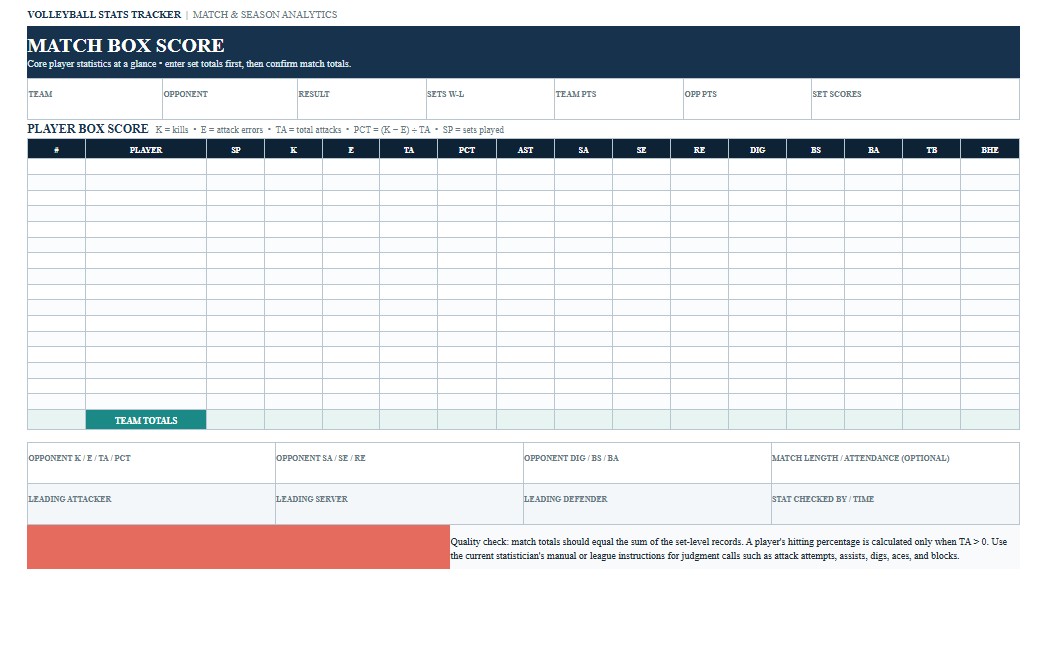
A volleyball stats tracker is a practical record for coaches, team managers, statisticians, players, and program staff who want to organize individual and team performance data from volleyball matches. It can be used throughout a season to record attacking, serving, setting, defense, blocking, and participation statistics, then compare performance from one match or set to another. Common tracked categories include kills, attack errors, total attempts, hitting percentage, assists, service aces, service errors, digs, reception errors, and blocks. This page provides downloadable Volleyball Stats Tracker Word, PDF, and Excel templates together with practical instructions for recording and reviewing match statistics. The Word version is convenient for customization, the PDF provides a consistent printable tracking sheet, and the Excel version is particularly useful for repeatable data entry, automatic calculations, season totals, averages, and performance analysis.
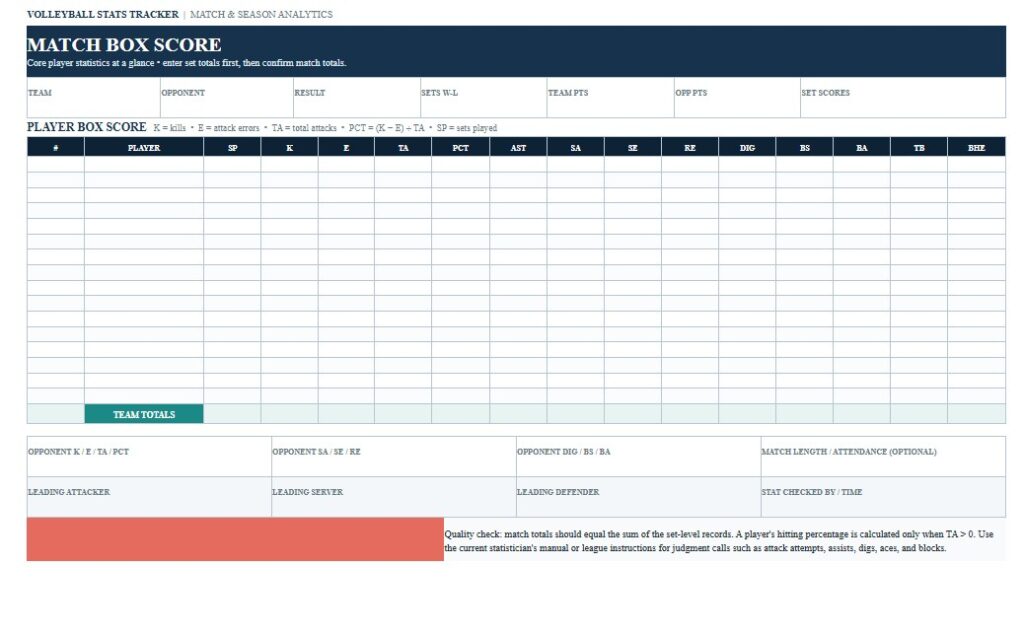
Download the Volleyball Stats Tracker Word Template
The Word version is useful when you want to freely customize the volleyball statistics sheet before printing or sharing it. A coach or team administrator can modify player fields, add a team logo, change statistical categories, create additional match sections, or adapt the tracker to the terminology and procedures used by a school, club, league, or tournament.

Download the Volleyball Stats Tracker PDF Template
The PDF version is useful when you need a fixed-layout volleyball statistics sheet for printing, courtside recording, archiving, or sharing with coaching staff. Because the page layout remains consistent, the same format can be used for multiple matches and retained as part of a team’s season records.
Download the Volleyball Stats Tracker Excel Template
The Excel version is particularly useful for a volleyball stats tracker because it can accommodate repeatable player and match rows, formulas, totals, percentages, and season records. It can be customized to calculate hitting percentage, aggregate match statistics, compare players, and maintain a running record across an entire schedule.
How to Complete and Use This Document
Begin the volleyball stats tracker by entering the information that identifies the match. This normally includes the team name, opponent, match date, location or event, and final result. If the form is being maintained for a school or club season, it can also be useful to record the match number, competition, age group, level, and the number of sets played. Consistent identification makes it much easier to combine several match records later without confusing opponents or dates.
Next, enter each athlete’s name and uniform number. If participation is relevant to your analysis, record sets played as well. The statistical categories selected should match the purpose of the tracker and the scoring convention used by the team. NCAA volleyball statistics, for example, include categories such as total attacks, kills, assists, service aces, digs, and blocks. :contentReference[oaicite:0]{index=0} A recreational team may need only basic totals, while a competitive high school, club, or collegiate program may want substantially more detail.
For attacking statistics, commonly record kills, attack errors, and total attack attempts. When the NCAA convention is being followed, hitting percentage is calculated as kills minus attack errors, divided by total attempts. For example, a player with 12 kills and 3 errors on 30 attempts has a hitting percentage of .300. Using a formula in the Excel version reduces calculation errors, especially when season totals are being maintained. Do not divide by zero when a player has no attack attempts.
Setting statistics typically include assists. Serving fields may include service aces and service errors, while defensive tracking commonly includes digs and reception errors. Blocking can be divided into block solos and block assists. Under NCAA statistical conventions, team blocks are calculated by adding block solos to one-half of the team’s block assists. Depending on the level of analysis required, additional columns can be added for ball-handling errors, blocking errors, reception attempts, serve-receive ratings, substitutions, rotations, or other coaching metrics.
Statistical definitions should be applied consistently throughout the match. This is particularly important for categories that require scorer judgment. For example, not every ball kept off the floor automatically qualifies as a dig, and not every difficult serve necessarily qualifies as an ace. NCAA statistical guidance contains specific definitions and examples for these situations. If the tracker is being used in connection with an official competition, use the statistical definitions required by the applicable organization rather than creating new definitions during the season.
After each set, compare individual entries with the team totals. This provides a useful quality-control step and can expose missed entries or transcription errors before the match record is finalized. If more than one person records statistics, establish in advance who is responsible for attacks, serves, blocks, defensive plays, or the master sheet. Clear responsibility helps prevent the same play from being recorded differently by multiple observers.
After the match, review the figures for patterns rather than focusing only on a single total. Hitting percentage can provide more context than kills alone because it incorporates both production and errors. Serving statistics can help identify players who generate points but also commit frequent service errors. Digs and blocking figures can help coaches evaluate defensive contribution, while assists provide useful information about setting activity. Statistics should still be interpreted alongside game film, rotations, opponent quality, tactical assignments, playing time, and coaching observations.
The template can be customized for youth volleyball, high school teams, college programs, club volleyball, recreational leagues, tournaments, or coaching analysis. However, a general volleyball stats tracker is not an official scoresheet, lineup sheet, libero tracking sheet, roster form, or eligibility record. If documentation is being used for an official match, tournament, school athletic program, recruiting process, or league reporting requirement, verify the current rules and required forms of the applicable governing body, athletic association, school, conference, club, or competition organizer. Keep completed records organized and protect any athlete information that your organization treats as confidential.