
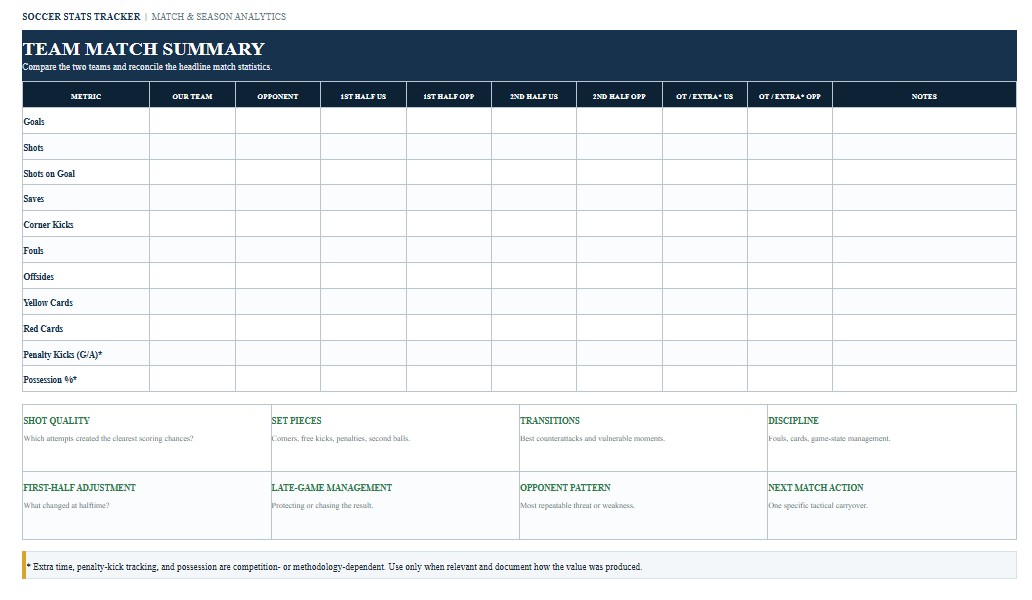
A Soccer Stats Tracker is a practical record for coaches, team managers, statisticians, analysts, players, and youth or school soccer programs that want to organize match and season performance data in one consistent place. The tracker can be used to record player participation, goals, assists, shots, shots on goal, goalkeeper saves, fouls, cards, corner kicks, offsides, and other statistics relevant to a team’s level of play. Maintaining consistent records makes it easier to review individual performance, compare matches, identify tactical patterns, and prepare season summaries. This page provides downloadable Soccer Stats Tracker Word, PDF, and Excel templates together with practical guidance for completing and using the document. The Word version is designed for customization, the PDF provides a consistent printable layout for match-day use, and the Excel version is particularly useful for calculations, cumulative statistics, player comparisons, match logs, and season-long tracking.
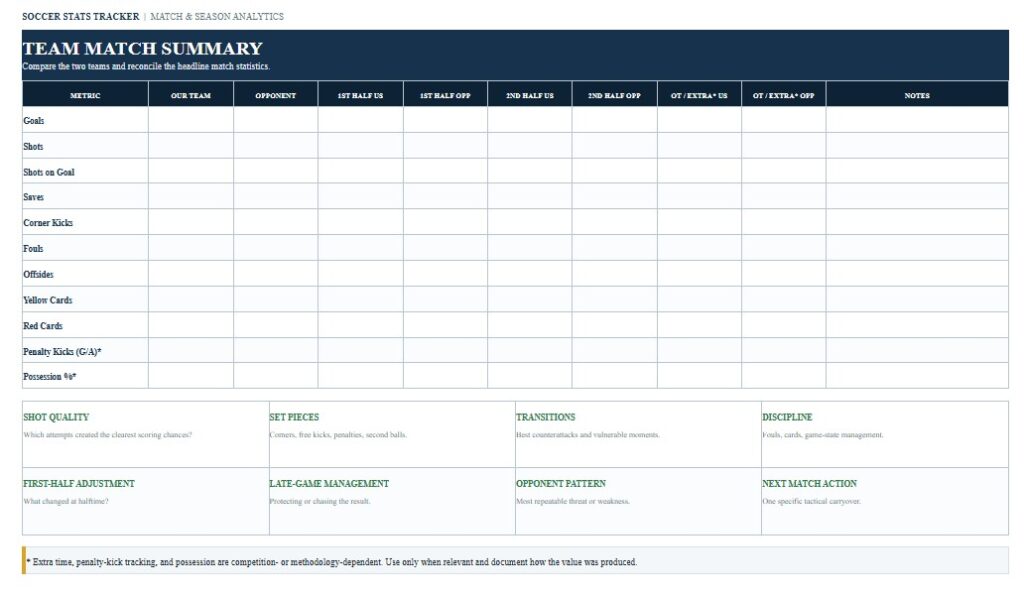
Download the Soccer Stats Tracker Word Template
The Word version is useful when you want to freely edit the soccer statistics sheet before printing or sharing it. Coaches and team administrators can customize player fields, statistical categories, team information, match details, coaching notes, or the layout to match the procedures used by a school, club, academy, league, or tournament.

Download the Soccer Stats Tracker PDF Template
The PDF version is useful when you need a fixed-layout soccer stat sheet that can be printed for match-day recording, distributed to coaching staff, shared electronically, or archived with other team records. A standardized layout also helps statisticians record the same information consistently from one game to the next.
Download the Soccer Stats Tracker Excel Template
The Excel version is particularly useful for maintaining repeatable player and match records throughout a season. It can be customized with formulas for totals, averages, percentages, goalkeeper statistics, appearances, minutes, scoring production, and other performance indicators while keeping individual matches connected to season summaries.
How to Complete and Use This Document
Begin the Soccer Stats Tracker with the information needed to identify the match. Typical fields include the team name, opponent, date, location, competition, match number, final score, and statistician or recorder. If the tracker will be used throughout a season, use the same naming convention for teams and players in every entry. Consistent identification is particularly important when match data will later be combined in Excel.
Next, enter the player roster. Useful fields can include uniform number, player name, position, starter status, minutes played, goals, assists, shots, and shots on goal. Programs that want a more detailed record may also track fouls, yellow cards, red cards, offsides, substitutions, penalty kicks, or other metrics appropriate to their competition. Goalkeepers commonly require separate fields for minutes played, goals allowed, saves, and shutouts.
Statistical definitions should be established before the match and applied consistently. For example, a shot on goal is not simply every shot taken toward the general direction of the goal. Under NCAA statistical guidance, a shot on goal is an attempt on target whose outcome is a goal or a save by the goalkeeper or defending team. This distinction is important because inconsistent classification can make shooting accuracy and goalkeeper statistics unreliable.
Goals and assists also require consistent recording. When the tracker is being used for an NCAA program or another organization with formal statistical rules, follow that organization’s current definitions rather than relying on an informal interpretation. Not every pass preceding a goal necessarily qualifies as an assist under every statistical system. The same principle applies to goalkeeper saves and other judgment-based statistics.
For a useful team-level match summary, consider recording total shots, shots on goal, goalkeeper saves, corner kicks, fouls, offsides, and misconduct for both teams. These are commonly included in U.S. soccer match statistical summaries and provide useful context beyond the final score. A team that creates significantly more shots or corners, for example, may have controlled important phases of a game even if the final result does not fully reflect that advantage.
When recording playing time, determine how your organization handles starters, substitutes, overtime, goalkeeper changes, and players who re-enter a match. Youth, high school, college, club, and professional competitions can operate under different substitution and match-duration rules. Do not assume that a procedure used in one competition applies to another. If minutes played or goalkeeper averages will be used for official reporting, follow the current requirements of the applicable governing body.
At the end of each match, perform a consistency check. Confirm that the player goals equal the team’s scoring total, review assists against the recorded goals, verify cards and goalkeeper data, and compare the player-level information with the match summary. Check that the final score and opponent information are correct before incorporating the game into cumulative season statistics. If multiple people collect data, designate one person to reconcile the final record.
The Excel version can be particularly valuable for season analysis. In addition to cumulative goals and assists, it can calculate appearances, starts, total minutes, shots, shots on goal, shooting accuracy, goalkeeper saves, and other derived measures. However, formulas should not replace statistical judgment. Whether an event counts as a shot, assist, save, or other category should be determined when the play is recorded according to the statistical standard being used.
The template may also be customized for youth soccer, high school programs, NCAA teams, adult leagues, clubs, academies, recreational teams, tournaments, scouting, or coaching analysis. Advanced staffs may add possession estimates, passing statistics, tackles, interceptions, expected goals, field zones, set-piece results, or video references, but these additional analytics should be clearly distinguished from official box-score statistics.
Finally, remember that a general Soccer Stats Tracker is an analytical and recordkeeping tool. It is not a replacement for an official game report, roster, score sheet, referee report, eligibility document, disciplinary record, or competition-specific form. When statistics are being submitted officially to a school, conference, association, league, tournament, or governing body, verify its current definitions, forms, reporting procedures, and recordkeeping requirements before relying on the template.